


AI in business means using software that can understand language, spot patterns, and make predictions to handle work people used to do by hand. For contractors, that usually means four jobs: answering leads 24/7, booking appointments, following up with quotes, and sorting out the office paperwork. AI does not replace roofers, plumbers, HVAC techs, or electricians. It takes the phone, inbox, and data entry off their plate so they can focus on the work that pays.
What Does AI Actually Do for a Contractor?
AI does the repeat tasks that eat up a contractor’s day. The table below shows the most common ones.
| Task | Without AI | With AI |
|---|---|---|
| After-hours lead | Goes to voicemail, often calls the next company | Chatbot or AI voice agent answers, gets project details, books the estimate |
| Lead follow-up | Depends on someone remembering | Automated text and email sequence sends on schedule |
| Scheduling | Owner or office manager juggles the calendar | Software books jobs based on crew, location, and job length |
| Estimates | Built from scratch each time | Drafted from past job data, then reviewed by a person |
| Invoices and reminders | Sent by hand, chased by phone | Sent when the job closes, with automatic payment reminders |
| Reviews | Asked for when someone remembers | Review request sent by text after every finished job |
What Types of AI Do Contractors Use?
Contractors use four main types of AI. Each one solves a different problem.
| Type of AI | What It Does | Contractor Example |
|---|---|---|
| Natural language processing (NLP) | Reads and writes human language | Website chatbots, AI voice receptionists, drafting emails |
| Machine learning | Finds patterns in past data to predict outcomes | Scoring which leads are most likely to buy, forecasting busy seasons |
| Computer vision | Reads photos and video | Measuring roofs from aerial images, spotting storm damage in photos |
| Robotic process automation (RPA) | Follows set rules to move data between systems | Creating a job in your CRM when a form is filled, sending appointment confirmations |
Most contractor tools mix more than one type. A CRM with AI lead follow-up, for example, uses NLP to write the messages and automation to send them.
Which AI Tools Do Contractors Use?
Contractors mostly use AI that comes built into software they already pay for, plus a few standalone tools.
| Category | Common Examples | What It Handles |
|---|---|---|
| CRM and lead follow-up | GoHighLevel, HubSpot | Chatbots, missed-call text back, follow-up sequences, review requests |
| Field service management | ServiceTitan, Jobber, Housecall Pro | Scheduling, dispatch, estimates, invoicing |
| General AI assistants | ChatGPT, Claude, Gemini | Drafting emails, job descriptions, social posts, answering questions |
| Roof and site measurement | EagleView, Hover | Measurements and reports from aerial or phone photos |
| AI phone answering | AI voice receptionists (many vendors) | Answering calls, booking appointments, routing emergencies |
Always check that a tool connects to your existing CRM or field service software before you buy it. Two systems that don’t sync create double data entry, which defeats the purpose.
How Do Contractors Use AI for Customer Service?
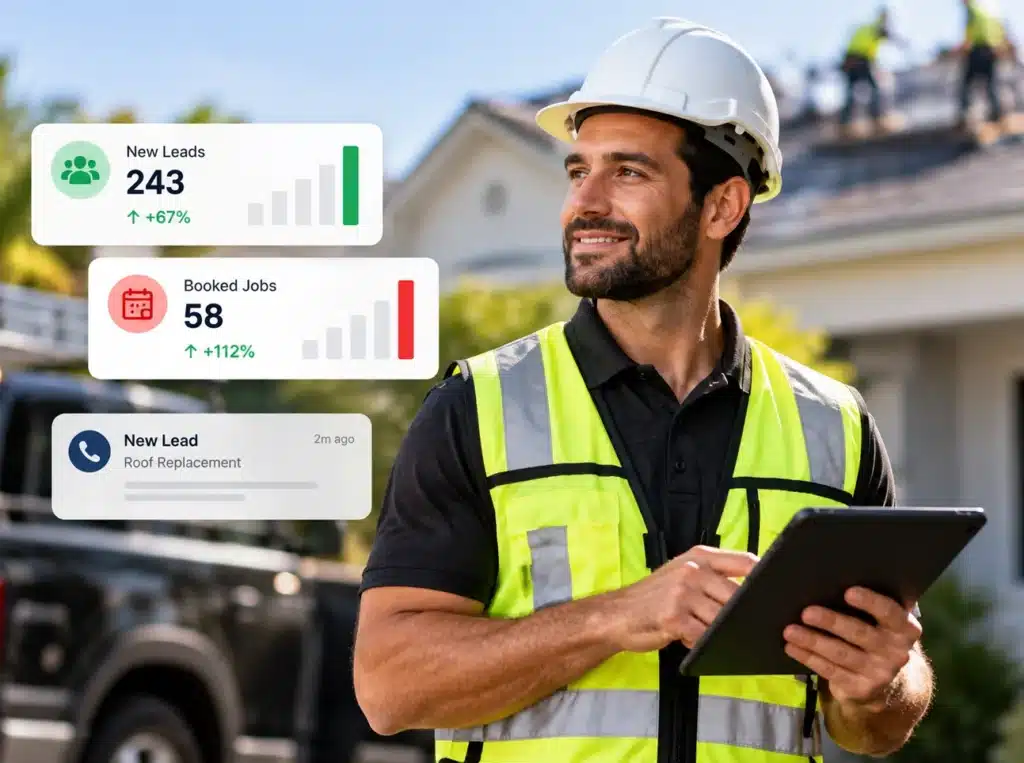
Contractors use AI for customer service in three main ways:
- 24/7 lead response. A website chatbot or AI voice agent answers questions about services, collects the address and project details, and books an estimate on your calendar.
- Emergency triage. For HVAC, plumbing, restoration, and electrical, AI can ask screening questions, mark a call as urgent, and alert the on-call tech.
- Project updates. Automated texts tell customers when the crew is on the way, when the job is done, and when an invoice is due.
Speed matters here. A homeowner with a leaking roof or a dead AC unit usually calls more than one company. The contractor who responds first has the best shot at the job.
How Does AI Help Contractors Get and Qualify Leads?
AI helps contractors get more leads and focus on the right ones:
- Lead scoring. The CRM ranks leads by job type, location, budget, and how they came in, so your team calls the best ones first.
- Automated nurture. Leads that don’t book right away get a series of texts and emails over days or weeks instead of being forgotten.
- Past customer reactivation. AI flags customers due for maintenance, a tune-up, or a replacement based on job history.
- Ad targeting. Google and Meta ad platforms use machine learning to find people most likely to become leads, based on your conversion data.
See our guide on why contractors should automate business processes for more on setting this up.
How Does AI Help with Scheduling, Estimates, and Billing?
AI tools in field service software handle the office side of the business:
- Scheduling. Assigns jobs based on tech skills, drive time, job length, and customer availability. Reshuffles the day when a job runs long and texts affected customers.
- Estimates. Uses your past job costs to draft estimates faster. A person should always review the final number.
- Materials. Forecasts material needs from booked jobs and past usage.
- Billing. Sends invoices when a job closes, sends payment reminders, and flags overdue accounts.
How Do Contractors Use AI for Marketing?
AI shows up in contractor marketing in four places:
- Paid ads. Google Ads and Meta use AI bidding to show ads to likely buyers.
- Content drafts. Tools like ChatGPT can draft blog posts, service pages, and social posts. A person who knows the trade must edit for accuracy and local details. Google’s guidance says it rewards helpful content no matter how it is made, but thin, mass-produced AI content can hurt rankings. (Google Search Central)
- Review management. AI drafts review replies and sends review requests after each job.
- AI search visibility. Homeowners now ask ChatGPT and Google AI Overviews for contractor recommendations. Clear service pages, consistent business info, and strong reviews help you show up there.
AI Chatbot vs. Answering Service vs. Office Staff: Which Is Best?
| AI Chatbot / Voice Agent | Live Answering Service | In-House Office Staff | |
|---|---|---|---|
| Available | 24/7 | 24/7 (depends on plan) | Business hours |
| How you pay | Monthly software fee | Per minute or per call | Salary or hourly wage |
| Books on your calendar | Yes, if connected to your CRM | Sometimes | Yes |
| Handles complex questions | Limited | Limited | Yes |
| Knows your business deeply | Only what you set up | Only what’s in the script | Yes |
| Best for | After-hours leads, first response, simple booking | Overflow calls | Sales, scheduling judgment, upset customers |
Most contractors get the best results using AI for first response and after-hours coverage, with people handling sales calls and problems.
How Much Does AI Cost for a Contractor?
AI cost for a contractor depends on which tools you need and whether they come built into software you already use. Most contractor AI is sold as a monthly subscription, often bundled into CRM or field service software, not as a one-time purchase. Setup work (building chatbot scripts, follow-up sequences, and connecting systems) is often a separate cost if an agency or consultant does it.
How Should a Contractor Start Using AI?
Start with the one problem that costs you the most jobs. For most contractors, that is missed or slow lead response.
- Pick one problem. Missed calls, slow follow-up, or messy scheduling.
- Write down your baseline. Track leads, response time, booked appointments, and close rate for 30 days before you change anything.
- Choose a tool that connects to your current system. Check that it syncs with your CRM or field service software.
- Run a 60 to 90 day pilot on that one problem.
- Train your team. Show them what the AI handles and when a person takes over.
- Compare results to your baseline. Look at booked jobs and revenue, not just activity.
- Add the next tool only after the first one is working.
How Do You Measure ROI from AI?
Measure AI ROI by comparing the cost of the tool against the jobs and hours it adds:
| Metric | What to Track |
|---|---|
| Lead response time | Minutes from inquiry to first reply |
| Booking rate | Percent of leads that book an estimate |
| Close rate | Percent of estimates that become jobs |
| Revenue from AI-handled leads | Jobs booked through chatbot, after-hours, or nurture sequences |
| Hours saved | Office time no longer spent on calls, data entry, and reminders |
| Cost | Monthly software plus setup |
What Are the Common Myths About AI for Contractors?
- Myth: AI will replace tradespeople. Fact: AI can’t install a roof, fix a furnace, or wire a panel. It handles office work so skilled workers can stay on jobs.
- Myth: AI is only for big companies. Fact: Most contractor AI is sold as a monthly subscription, and much of it is already built into CRMs and field service software small crews use.
- Myth: You need to be technical to use AI. Fact: Most contractor tools need setup, not coding. Vendors and marketing agencies usually handle the setup.
- Myth: AI makes service feel robotic. Fact: Good AI setups use customer history and names, and hand off to a real person for anything complex or sensitive.
What Are the Risks of Using AI in a Contracting Business?
AI has real limits. Plan for them:
- Wrong answers. Chatbots can give incorrect pricing or promises if you don’t set clear rules. Keep pricing questions routed to a person, or give the bot approved ranges only.
- Bad data in, bad results out. Lead scoring and estimates are only as good as your job history.
- Texting compliance. Automated texts in the U.S. require A2P 10DLC registration and customer opt-in.
- Over-automation. Upset customers and high-dollar sales calls should go to a person.
Frequently Asked Questions

What is AI in business in simple terms?
AI in business is software that can understand language, spot patterns, and make predictions to handle tasks people used to do by hand, like answering leads, scheduling, and follow-up.
How can contractors use AI?
Contractors use AI to answer leads 24/7, send follow-up texts and emails, schedule crews, draft estimates, send invoices, request reviews, and target ads.
Will AI replace workers in the trades?
No. AI handles office and admin tasks. Hands-on trade work and customer relationships still need people.
What is the best first AI tool for a contractor?
For most contractors, the best first tool is an AI lead response system, such as a chatbot or missed-call text back connected to the CRM, because slow response loses the most jobs.
Do contractors need to register automated texting?
Yes. Businesses sending automated texts in the U.S. need A2P 10DLC registration and customer opt-in to avoid blocked messages.
Is AI-written content bad for SEO?
Not by itself. Google rewards helpful content however it is made. AI drafts should be edited by someone who knows the trade and the local market.
Put AI to Work in Your Contracting Business

AI in business is not about replacing your crew. It is about making sure every lead gets answered, every quote gets a follow-up, and your office spends less time on paperwork. Start with one problem, measure it, and build from there.
Want help setting up AI lead response and automation? Schedule your free consultation or see our contractor marketing services.
